
A service objective can begin anywhere.
The source may be free text, a boundary table, a formal SLA, an internal operating target or another approved rule set. Its original format does not determine how it is treated. What matters is its meaning, scope, authority and measurable connection to the PRTG evidence.
AI guidance defines how the available monitoring environment should be analysed.
A straightforward objective for a production SQL service.
Production SQL Service — Availability and Response
AGREED SLA“The Production SQL Service shall be available Monday to Friday from 07:00 to 19:00 Europe/Helsinki time. Monthly availability during the defined service hours shall be at least 99.9%. At least 95% of approved SQL connection checks shall complete within 500 milliseconds.”
Illustrative SLA extract. It is not based on a customer agreement.
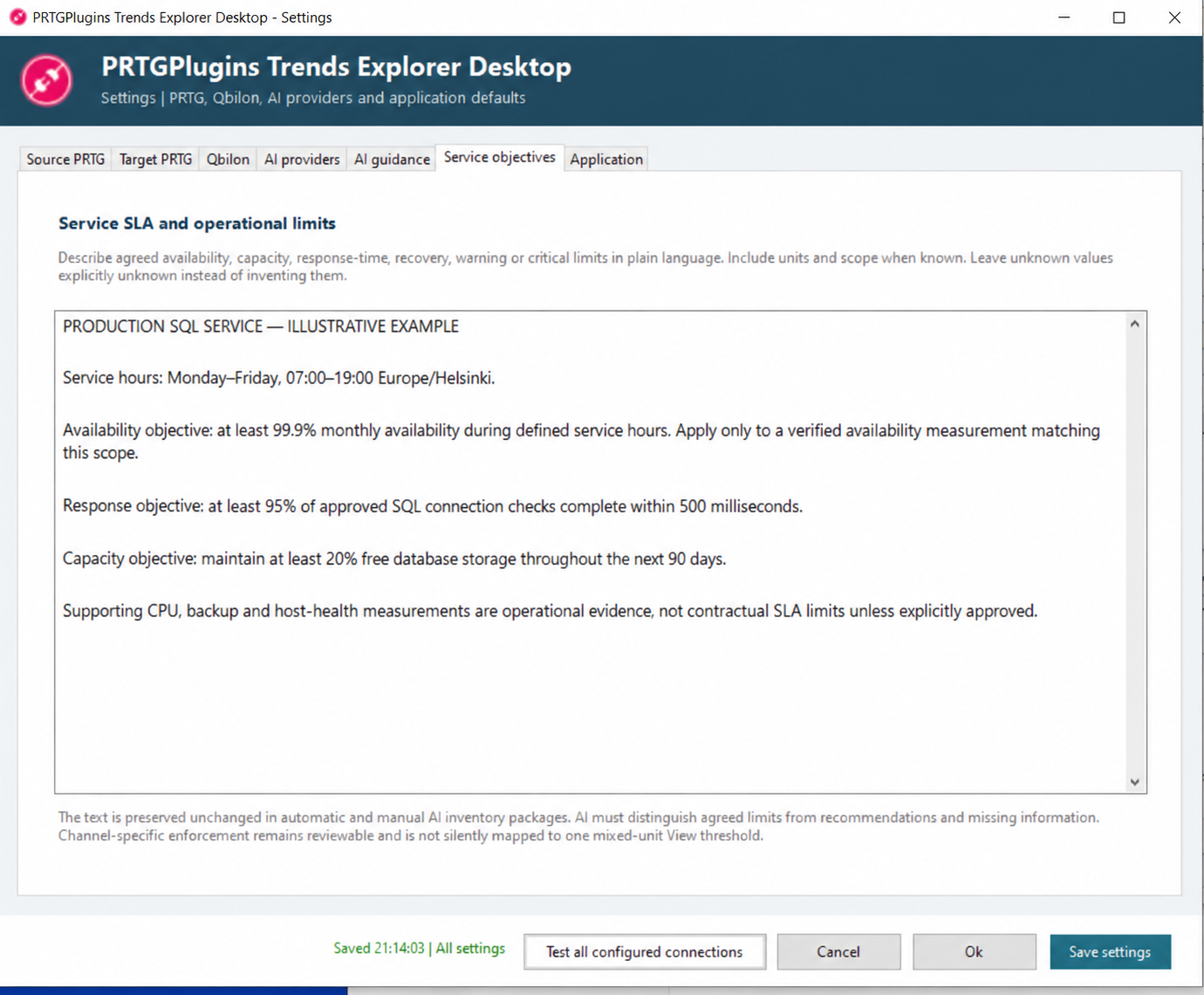
The operator preserves the agreed meaning in Service objectives and identifies the exact PRTG measurements that represent SQL reachability and connection response. AI may help find those measurements and propose a View structure, but it must not apply the availability or response-time limits to unrelated host, storage, backup or database-performance channels.
What Trends may treat as agreed
- 99.9% as the lower monthly availability Boundary.
- 500 ms as the upper connection-response Boundary for 95% of checks.
- Monday–Friday, 07:00–19:00 Europe/Helsinki as the service-time scope.
What remains separate
- CPU, storage, backup age and other supporting infrastructure metrics.
- AI-recommended operational limits for those supporting channels.
- Any measurement whose exact SLA mapping is missing or ambiguous.
An approved target without inventing an SLA.
Database Capacity Standard — Production Services
INTERNAL STANDARD“Production database platforms shall maintain at least 20% free storage capacity throughout the approved 90-day planning horizon. Forecasts indicating that free capacity may fall below the target shall be raised for operational review. No numerical response-time limit is currently approved.”
Illustrative internal operating-standard extract.
The 20% free-capacity target can become an approved lower Boundary for the verified capacity channel. Response-time deterioration may still be analysed, but any numerical response-time Boundary proposed by AI remains a proposal—not an SLA and not an approved internal target.
Tell AI how to investigate—not what to pretend is agreed.
The objective and the analysis instructions have different jobs. The objective preserves the authoritative target. AI guidance describes the desired perspective, hierarchy and emphasis for analysing the available PRTG environment.
The same objective can therefore be analysed differently for an infrastructure operator, a service owner or a capacity-planning team without rewriting the agreed source text.
Connect each rule to an exact PRTG measurement.
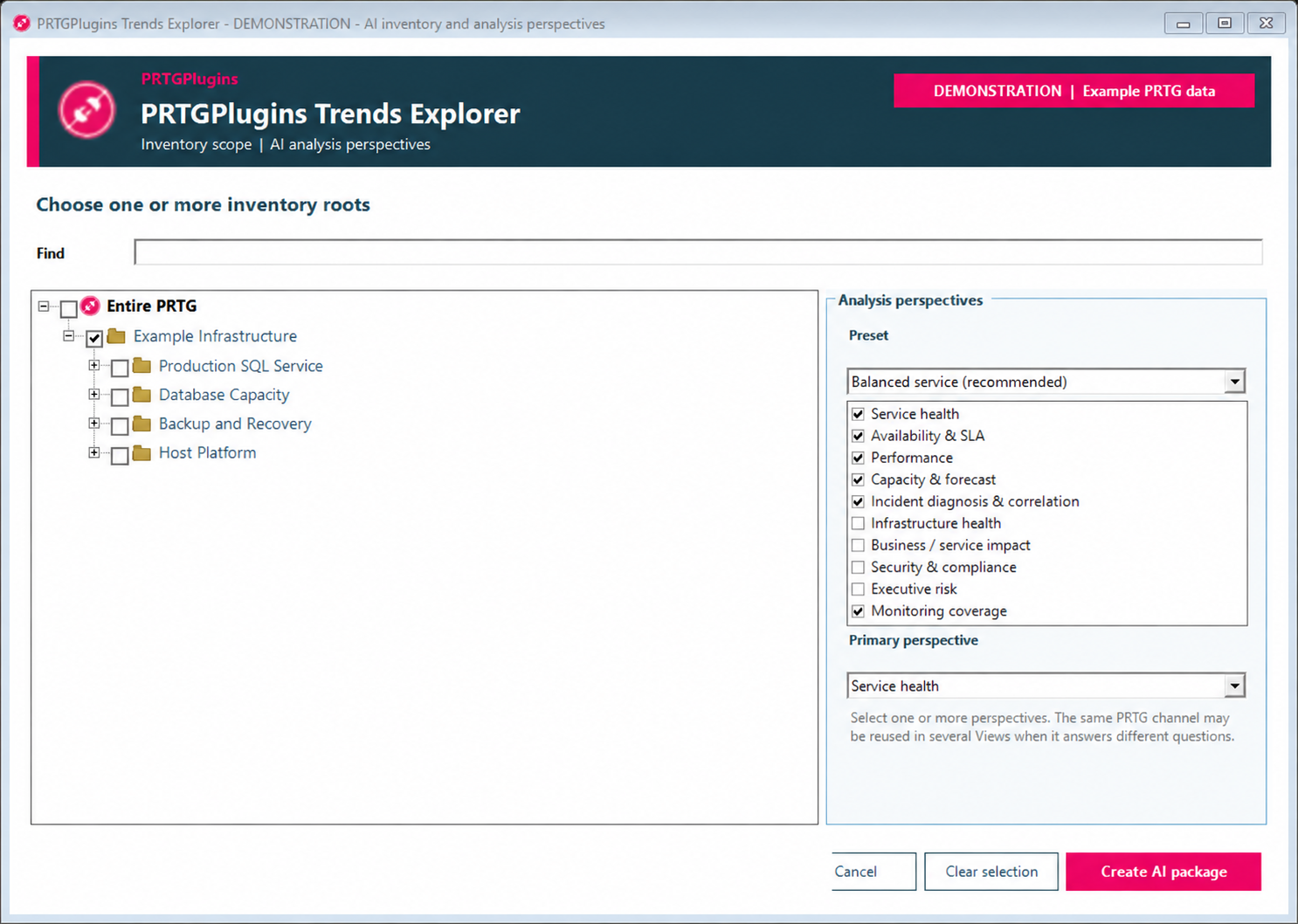
Trends Explorer analyses the selected PRTG inventory and measurement metadata. A limit is useful only when its channel identity, unit, risk direction and meaning match the objective. Similar names are not enough.
| Objective element | Required evidence | If no exact match exists |
|---|---|---|
| SQL availability ≥ 99.9% | A verified availability channel calculated for the agreed service-time scope. | Report an unresolved mapping. Do not approve a substitute automatically. |
| Connection response ≤ 500 ms | An approved SQL connection or response channel with milliseconds as its unit. | Keep the limit unmapped or propose a clearly identified measurement change. |
| Free capacity ≥ 20% | A free-capacity percentage channel whose lower values mean increasing risk. | Do not translate bytes, used percentage or another scale without explicit interpretation. |
Separate service health from supporting infrastructure.
A View should answer one operational question. The main SQL service View keeps the customer- or service-facing measures visible. Supporting Views explain capacity and component behaviour without turning every technical signal into an SLA.
Not every environment needs four Views. The operator may combine or omit supporting perspectives when the result stays understandable, technically compatible and within the PRTG output-channel limit.
Proposed is not Approved.
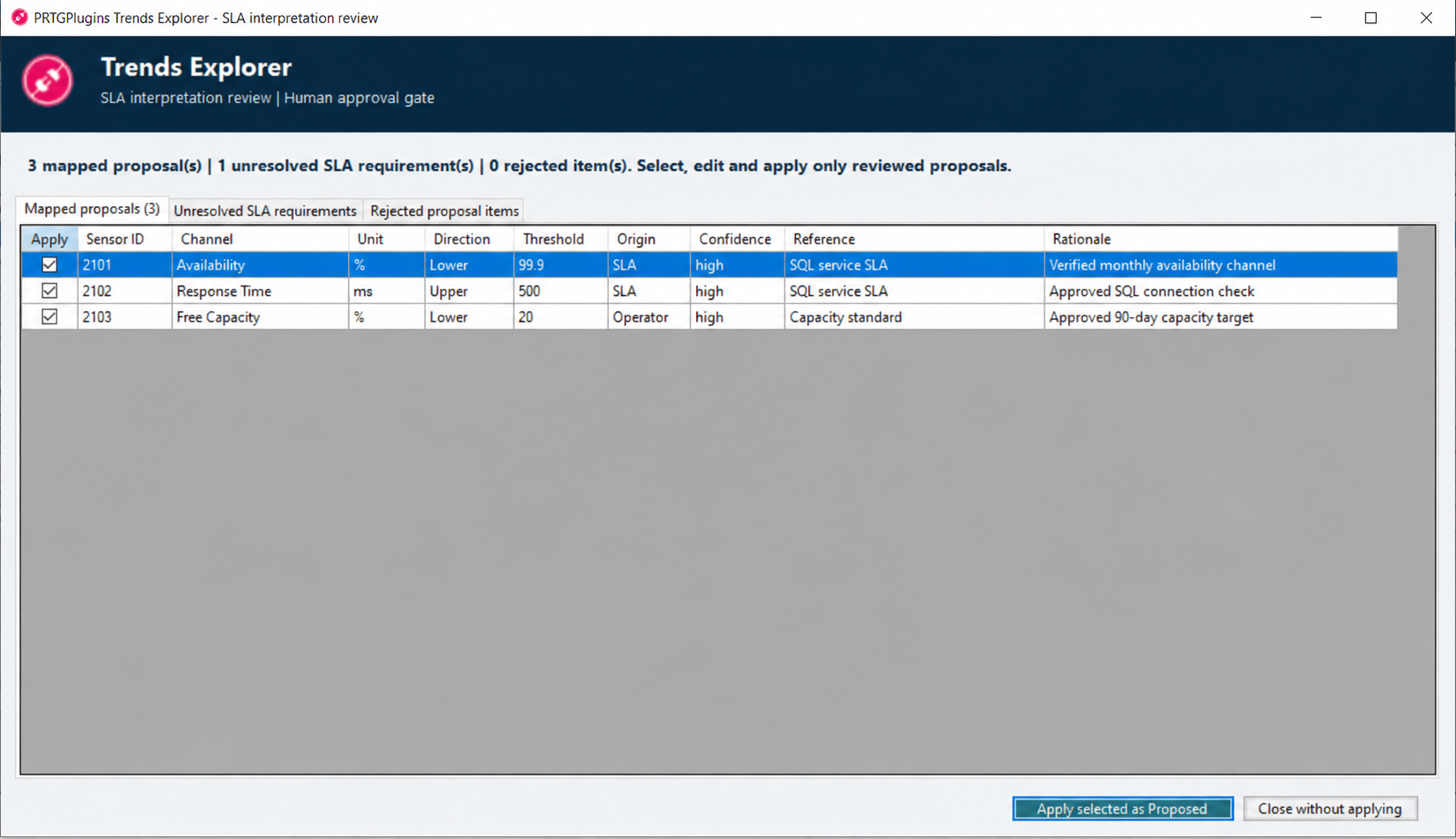
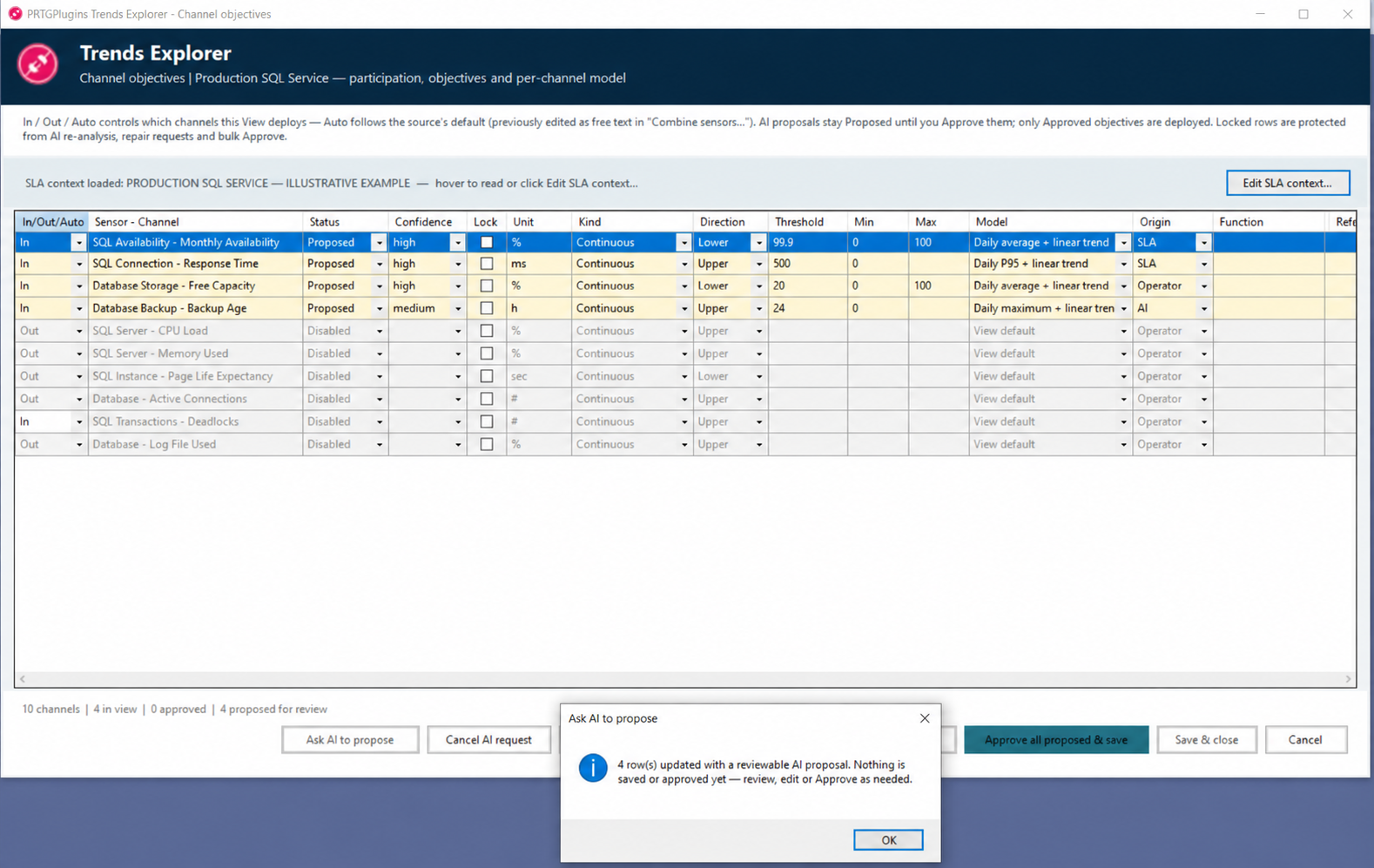
AI may propose channel participation, forecast models and numerical Boundaries. Every AI-created objective enters review as Proposed. The operator checks the source channel, unit, direction, value, origin, rationale and reference before approval.
Proposed
A review candidate. It can be edited, rejected or left unresolved. It is not yet a governed monitoring limit.
Approved
A human-reviewed objective that may be packaged for deployment and used for threshold forecasting.
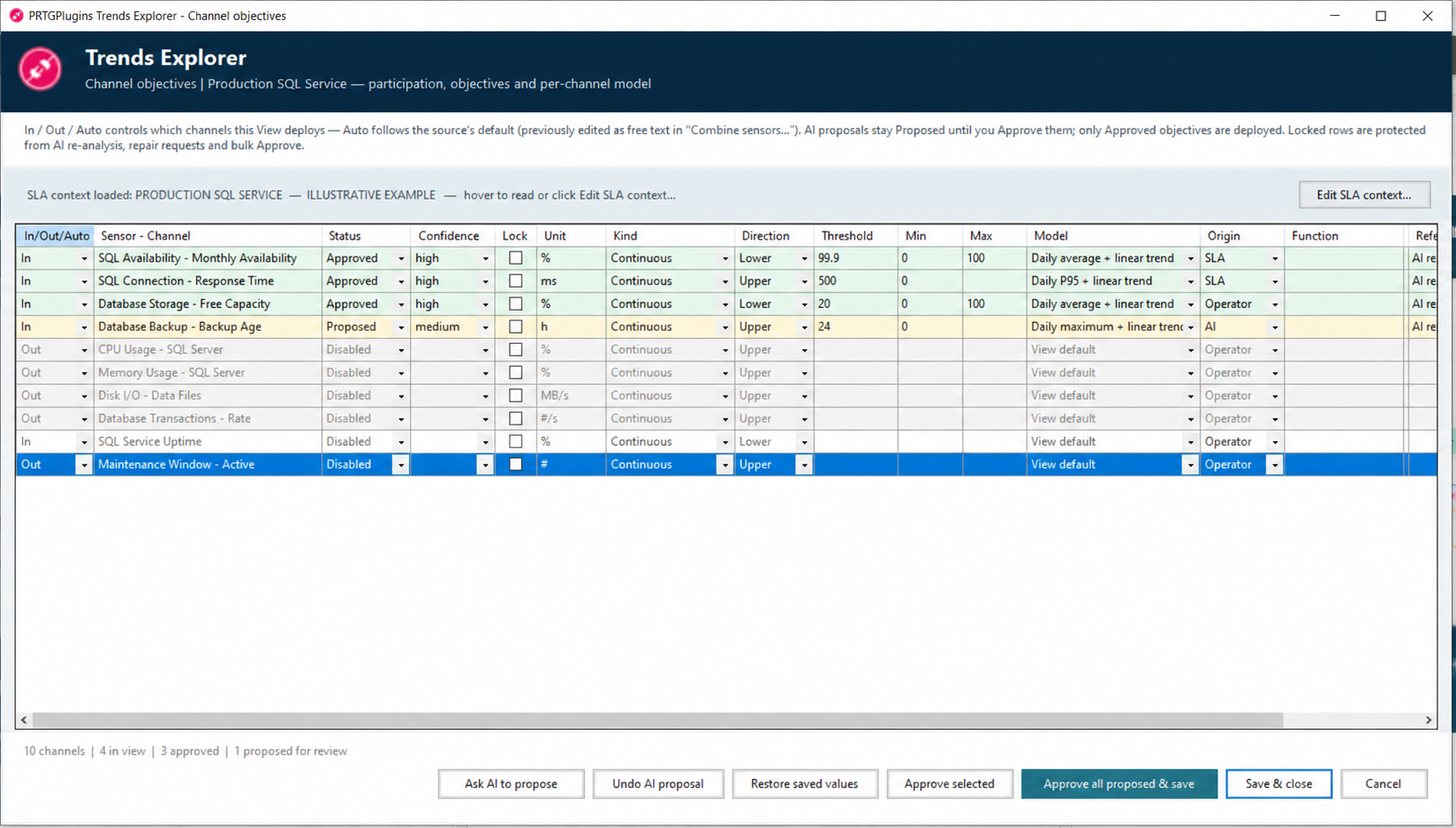
- The channel identity and unit are exact.
- The Boundary direction matches the risk.
- The source is distinguished from an AI recommendation.
- Supporting channels are not mislabeled as SLA measures.
- Missing measurements remain visible.
- The proposed output stays within PRTG’s 50-channel result limit.
Only the approved definition enters the monitoring runtime.
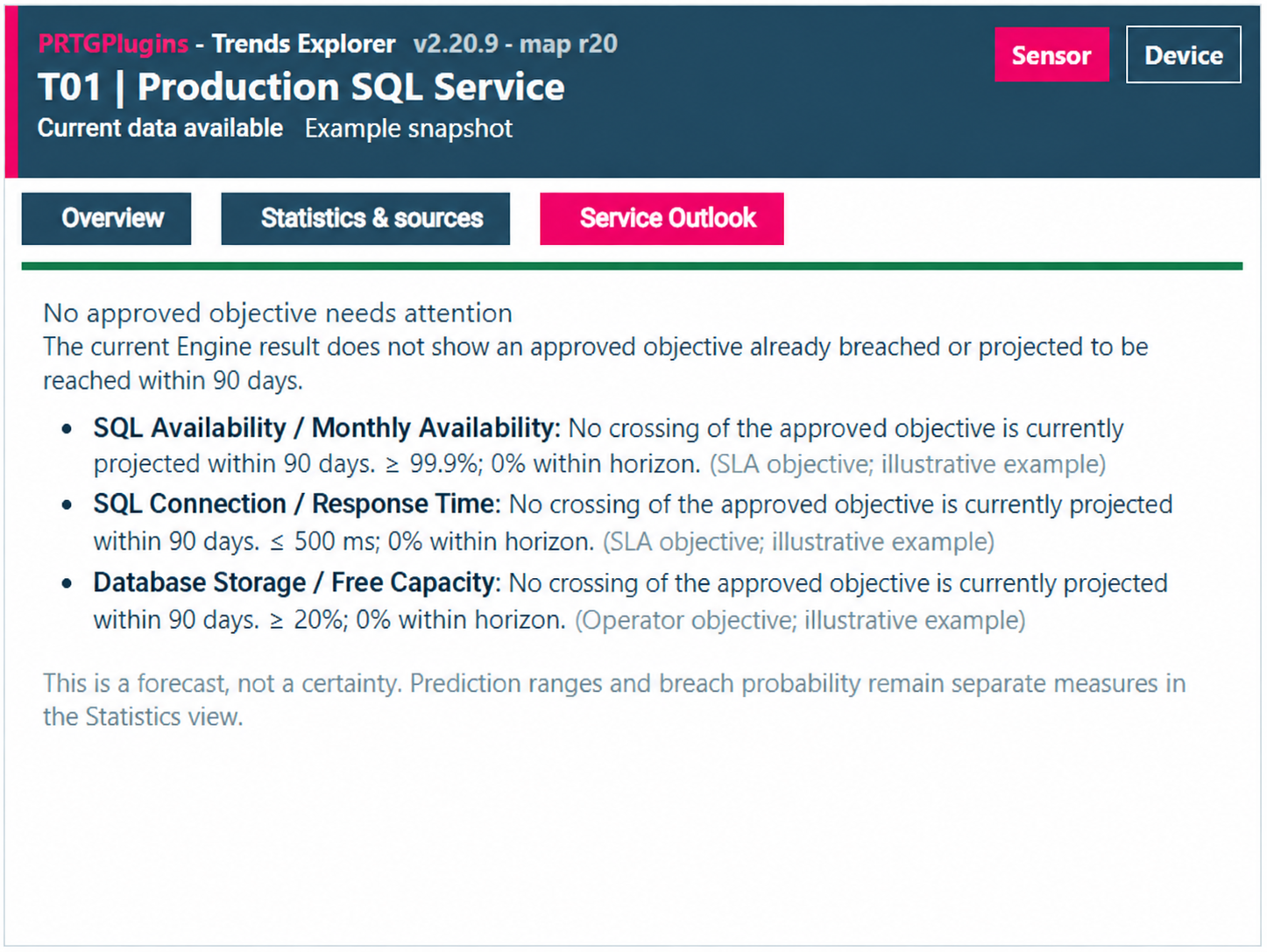
After readiness checks and explicit plan approval, Trends Explorer packages the selected Views and approved objectives for deployment. The Trends Engine performs the calculations and returns the resulting channels to PRTG. The view below is the Trends Explorer component rendered directly inside a PRTG Map—not a separate application or external report.
A monitoring definition is governed configuration—not a one-time AI answer.
Review the objective whenever the SLA, service hours, infrastructure, PRTG sensor identity, unit or operating policy changes. Re-run analysis when new evidence becomes available, but preserve approved values until a person intentionally replaces them.
- Record the authoritative source and reference.
- Review changed service hours or exclusions.
- Verify replaced sensors and channel identities.
- Reconsider supporting Views after architecture changes.
- Reapprove changed objectives before deployment.